

Interactive Design: Tesco have a new tablet, and it actually looks great
What do Whale Trail (a game where you pilot a grinning whale through the clouds), Rando (an app that lets you anonymously share photos around the world) and the new Hudl tablet from Tesco have in common? Very little to the untrained eye, but each is the product of digital design agency ustwo™. We loved Whale Trail, it cost us a lot of precious hours in the studio, and we thoroughly enjoy using Rando, which leads us to believe that the Hudl is going to be right up our street too, even if we’re still struggling to get our heads round the concept of a Tesco tablet.
The aim of Hudl is simple; to offer an affordable, family-orientated tablet that can be used in the same way as a traditional Android tablet, but with the added bonus of some handy digital integration with existing Tesco services. Consequently the functionality is key as adults have got to be able to understand it a s well as their kids (you see what I did there?). The iconography designed by fellow London studio SomeOne and user interface all have a distinctly clean and premium feel which we have to confess we wouldn’t have expected Tesco to pull off. Perhaps these guys should be let loose on their supermarkets too!
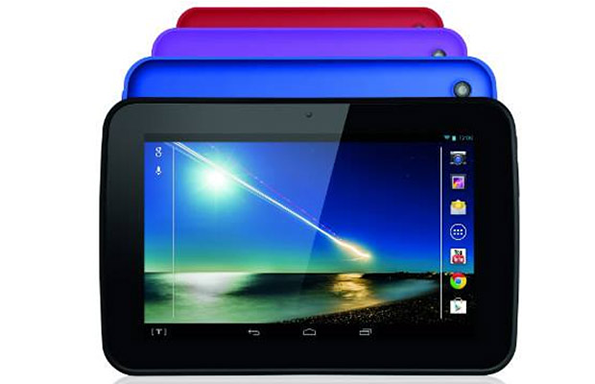
ustwo™: Hudl User Interface
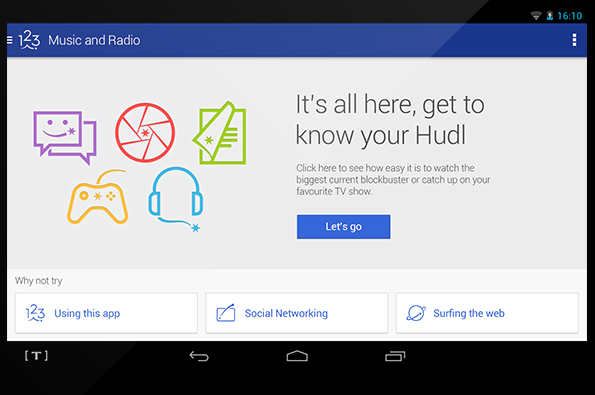
ustwo™: Hudl User Interface
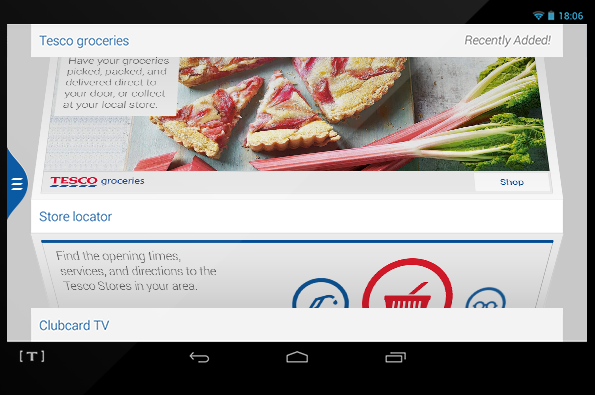
ustwo™: Hudl User Interface
ustwo™: Hudl User Interface
ustwo™: Hudl User Interface
Share Article
Further Info
About the Author
—
James started out as an intern in 2011 and came back in summer of 2012 to work online and latterly as Print Editor, before leaving in May 2015.