

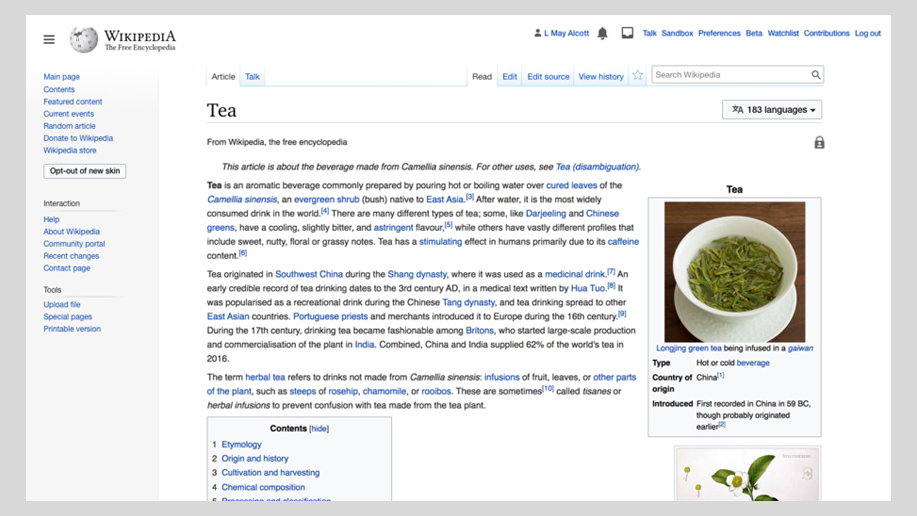
Wikipedia redesigns its desktop interface for the first time in a decade to make it “more welcoming”
The new interface aims to tidy up a “cluttered” interface and bring the platform up to date with evolved expectations of web design, as well as unify the Wikimedia sites.
Share
Wikipedia has revealed proposals for a redesign of its interface, including new features and page layouts that aim to keep up with the expectations of modern web users and make its pages “more welcoming”. For the first time in ten years, the default Wikimedia layout is being reworked to incorporate many additions bolted on over the years, yet in a more considered way, and tweaks are being made to the page structure to make it more user-friendly. In a statement on MediaWiki, the platform explains that “web design, as well as the expectations of readers and editors, have evolved. We think it’s time to take some of these ideas and bring them to the default experience of all users, on all wikis, in an organised, consistent way”.
“Our goals are to make Wikimedia wikis more welcoming and to increase the utility amongst readers and maintain utility for existing editors,” the statement continues, saying the team will measure the “increase of trust and positive sentiment” towards the sites.
Changes include reorganising navigation and interface links, which it says are currently organised “haphazardly,” including moving the search bar from its less obvious right-aligned placement to a central part of the header. Also in the header, the logo and word mark appears at a smaller size and different ratio, taken from a square format in the sidebar to a rectangular format with the logo in line with the word mark. The header is also sticky, remaining accessible while you scroll.
There’s also a new collapsible sidebar, making the page cleaner and less text-heavy to improve legibility. This forms part of the platform’s mission to declutter the interface, which it says “distracts users from focusing on what they came for”. It even goes so far as to compare the redesign with tidying up a messy wardrobe, with tongue-in-cheek visual aids.
More new features will be a drop-down menu in line with the article title, which will allow users to easily switch languages with one click on-page; a clearer user menu drop-down, a table of contents to better navigate articles, and an improved search function.
The readers web team will be rolling out improvements over the next couple of years, with changes made default on all articles and pages from 2021.
Earlier this year, the Wikimedia Foundation, the nonprofit that operates Wikipedia, announced it was working with international design and architecture studio Snøhetta on a rebrand, to be documented and shared along the way with its community of volunteers.
GalleryWikipedia redesign proposals (Copyright © Wikipedia, 2020)
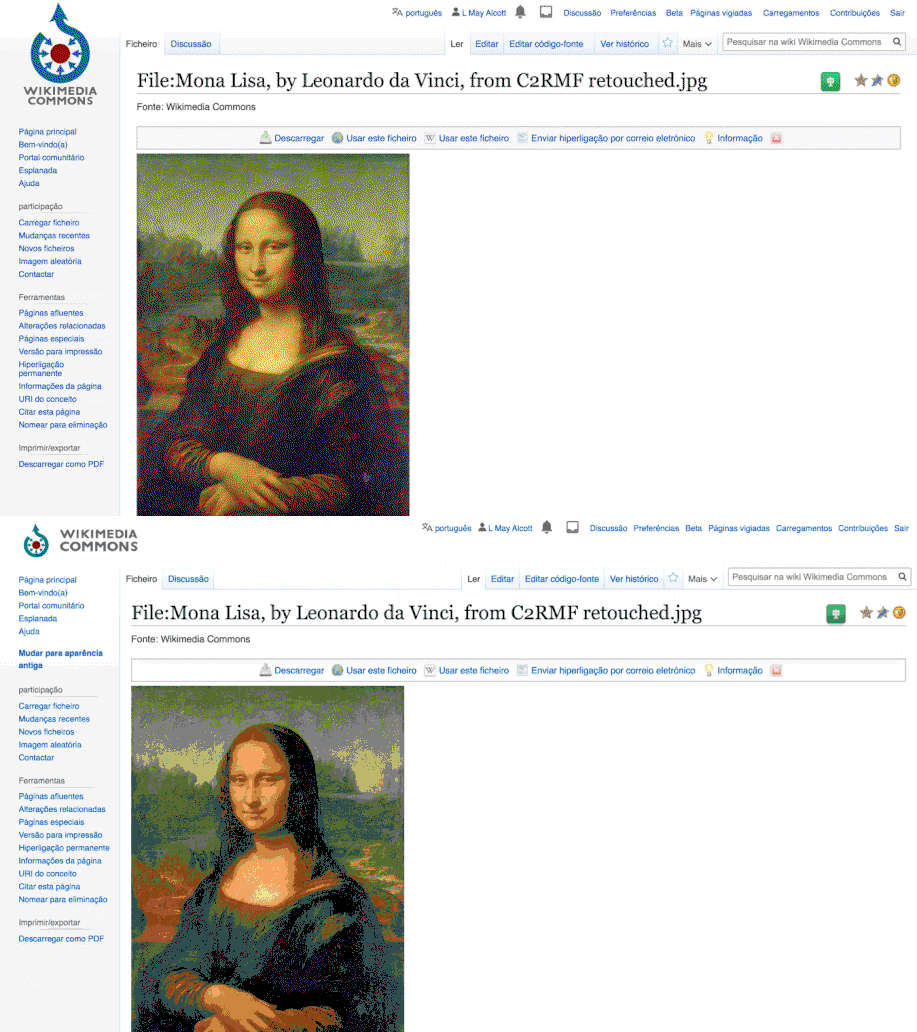
Header logo reconfiguration
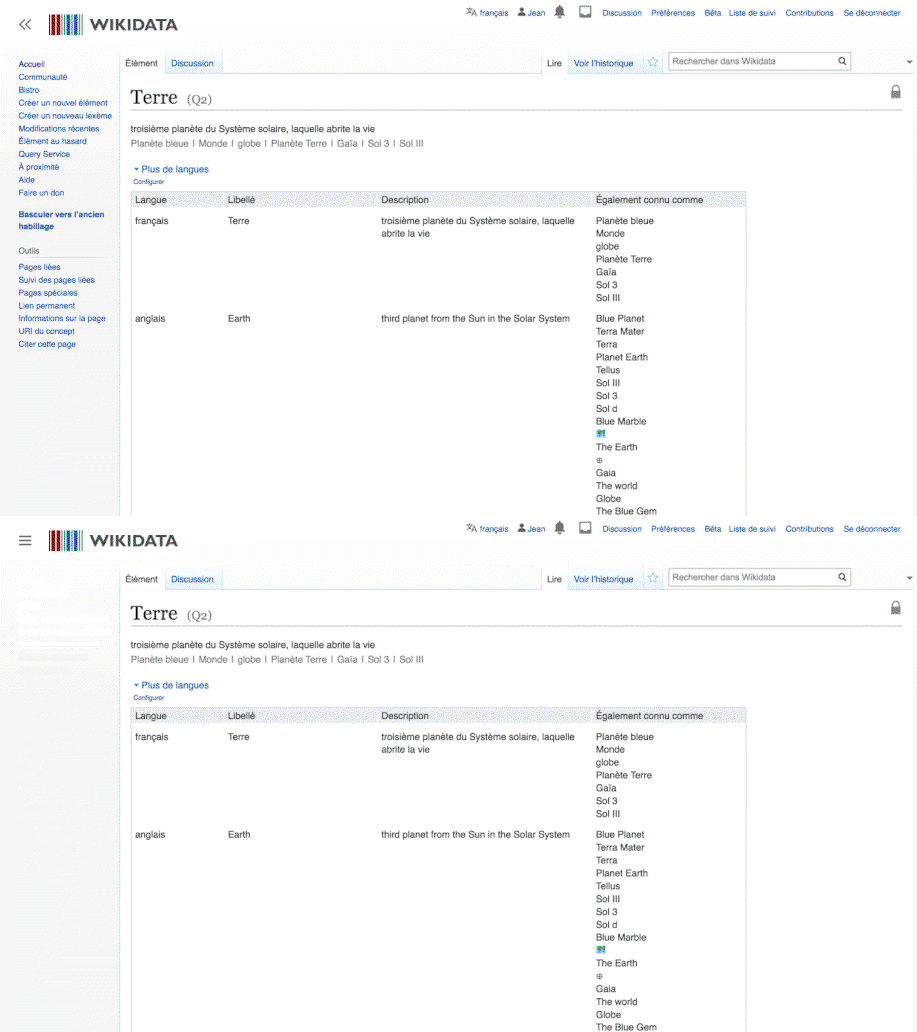
Collapsible sidebar
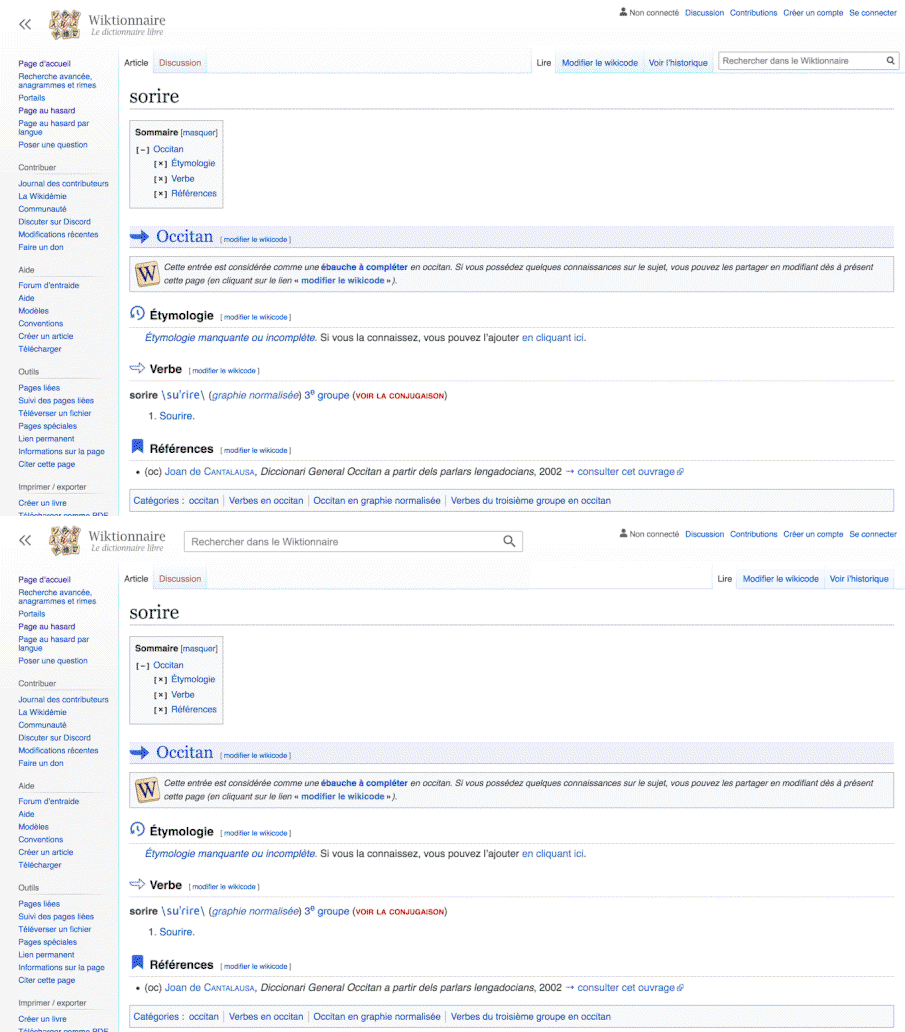
Search widget move
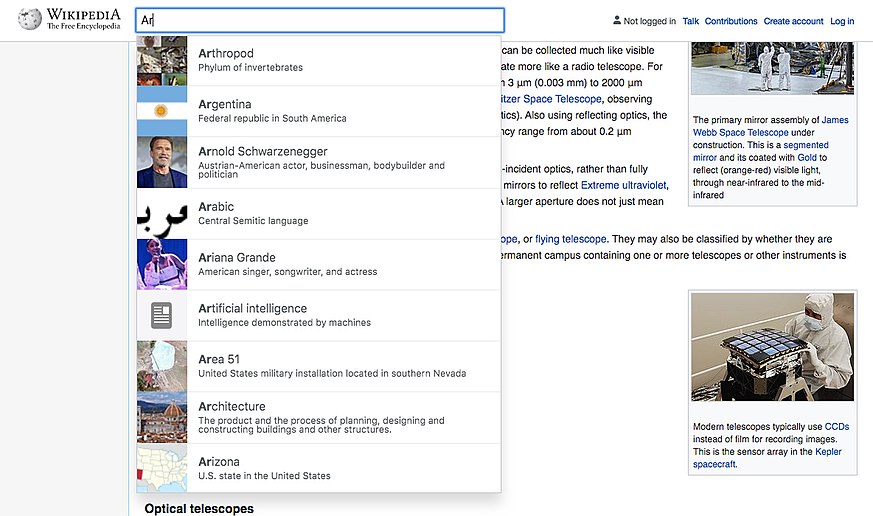
Enhanced search results
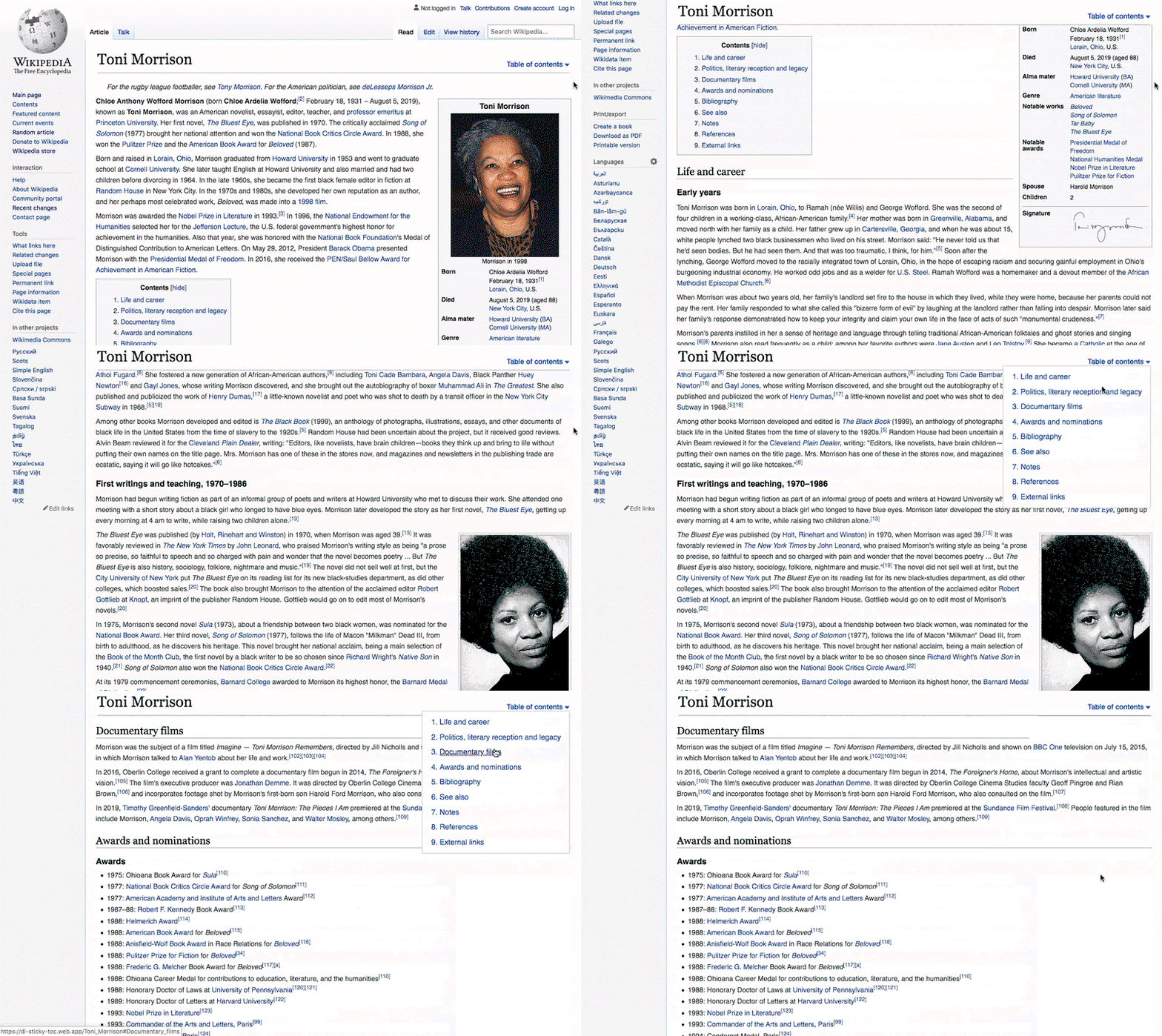
Table of contents in article
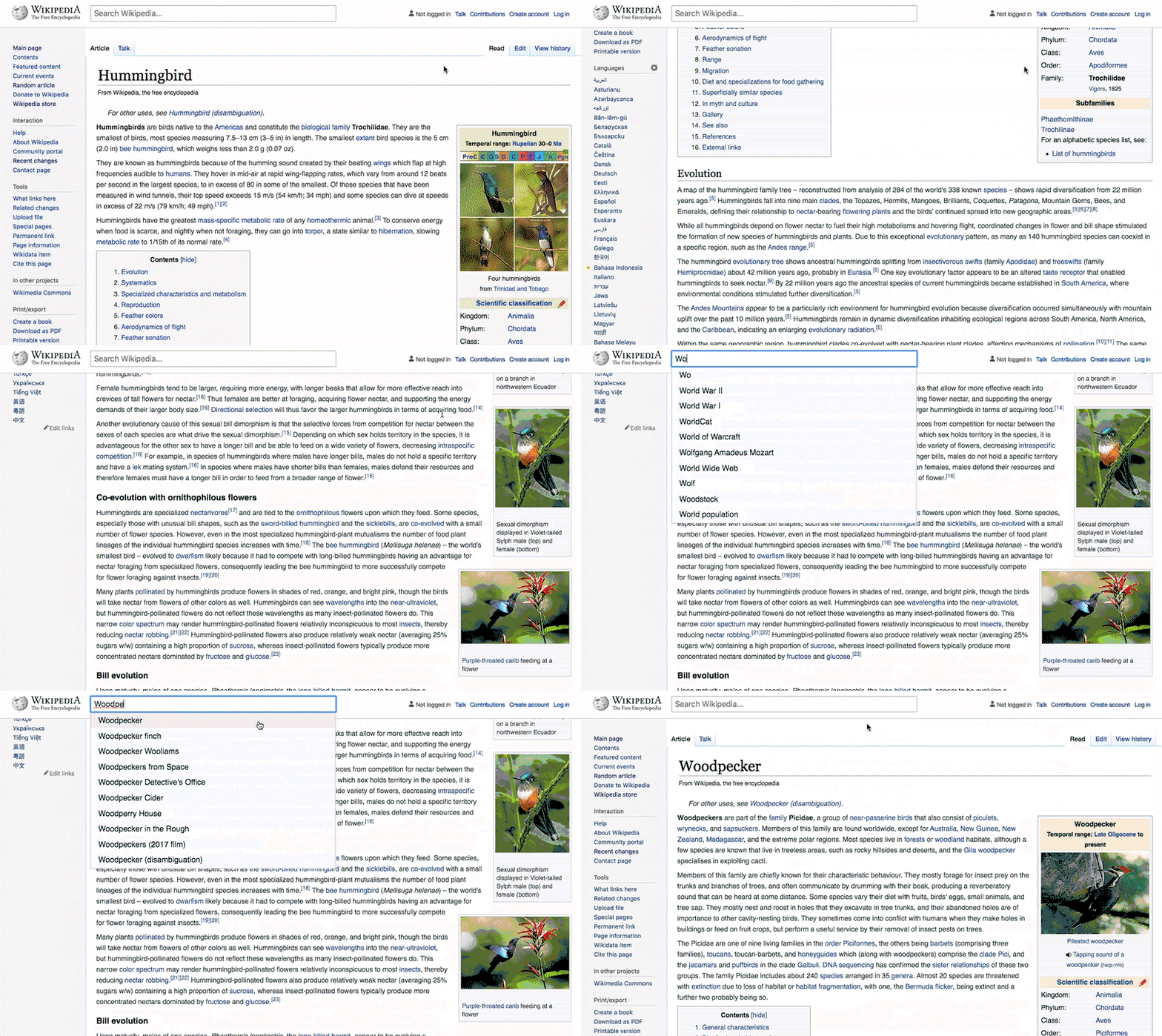
Sticky site and article headers
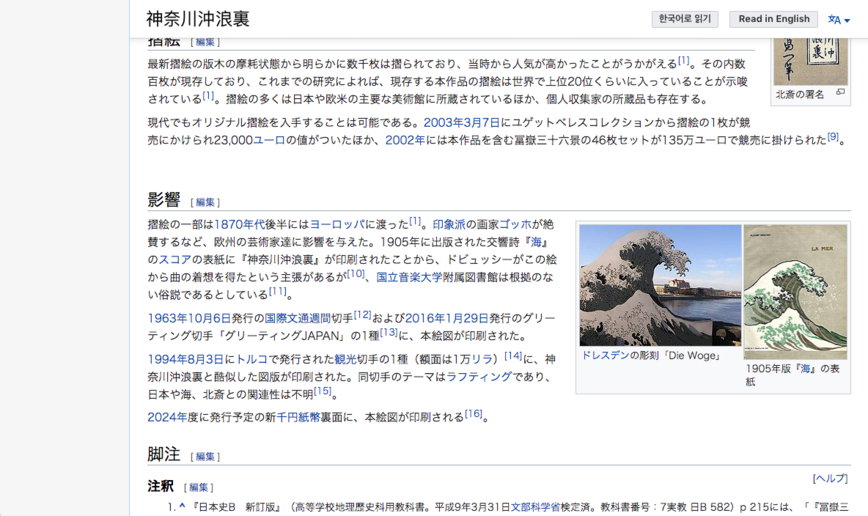
One-click language switch
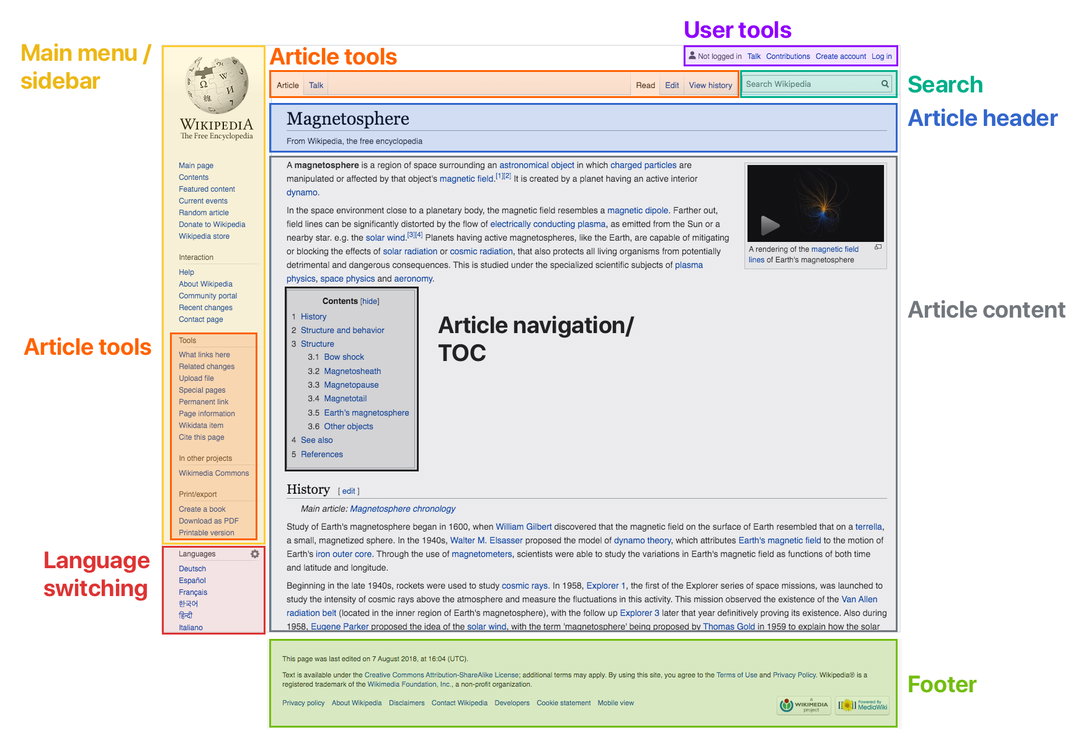
Annotated Wikipedia vector interface changes
Hero Header
Wikipedia redesign proposals: Language links in article title bar (Copyright © Wikipedia, 2020)
Share Article
Further Info
About the Author
—
Jenny oversees editorial output across It’s Nice That. Get in touch with writing pitches for features or opinion pieces, big creative story tips, or questions about all things editorial. jb@itsnicethat.com
To submit your work to be featured on the site, please see our Submissions Guide.